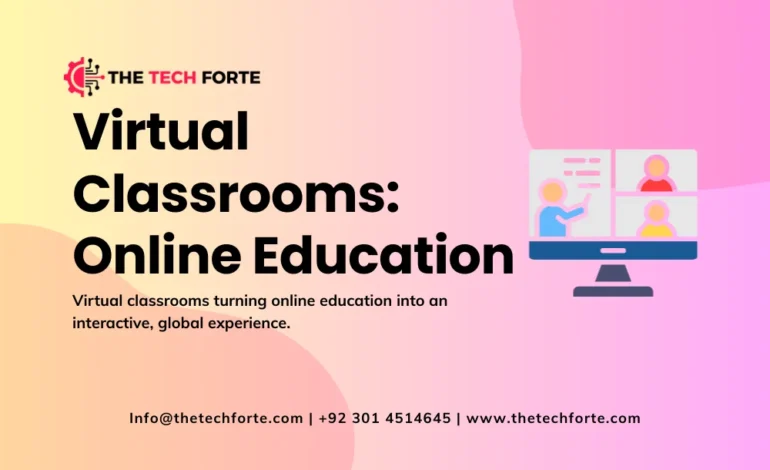
Virtual Classrooms: The Future of Online Education

Virtual classrooms are transforming online education from one-way content delivery into a rich, interactive learning experience that closely mirrors (and often enhances) what happens in physical classrooms.
By combining video conferencing, collaboration tools, digital whiteboards, and structured online curriculum, the modern digital learning environment supports real-time interaction, flexible scheduling, and global access in ways traditional classrooms cannot match.
Virtual classroom definition and core concepts
A virtual classroom is a digital learning environment where teachers and students meet online to conduct classes using live (synchronous learning) tools for real-time interaction, supported by pre-recorded content, shared materials, and integrated learning platforms.
It is a central component of distance learning / remote learning and online education, extending classroom teaching methods into an online curriculum delivered via education technology (EdTech).
Key elements of a virtual classroom:
- Video conferencing with audio and video for live lessons.
- Collaboration tools like digital whiteboard, chat / instant messaging, breakout rooms, and file sharing.
- A learning platform or LMS that organizes lessons, quizzes, assignments, and pre-recorded content into an online curriculum.
- Engagement and collaboration features such as polls, quizzes, interactive learning activities, and participation controls.
This setup supports both synchronous learning (live sessions) and asynchronous learning (self-paced modules and recordings), making virtual classrooms the backbone of modern online degree programs, boot camps, webinars, and workshops.
Digital classroom vs virtual classroom
The terms digital classroom and virtual classroom are related but not identical.
- A digital classroom typically refers to a technology-enhanced physical classroom where digital tools (smartboards, tablets, online resources) supplement in‑person teaching.
- A virtual classroom, by contrast, is fully online, with teacher-student interaction, course delivery, and assessment all happening through internet-based platforms.
Digital classroom impact is often about enriching face‑to‑face experiences, while virtual classroom transformation reshapes distance learning / remote learning by making online interaction and interactive education central to the learning experience.
Types of virtual classrooms and blended models
Virtual classroom models can stand alone or blend with in-person education. Blended learning frameworks outline how online and offline components mix, including several models directly relevant to virtual classrooms.
Enriched virtual model
The enriched virtual model is a blended design where students complete most coursework online but attend occasional in‑person sessions for support, labs, or assessments.
Characteristics:
- Online education provides the core instruction via a virtual classroom and learning platforms.
- Face‑to‑face meetings are scheduled and mandatory (for exams, labs, or group activities).
- Ideal for higher education or professional programs where some physical presence remains valuable.
Enriched virtual classrooms allow institutions to reduce physical seat time while maintaining key in-person experiences, striking a balance between flexibility and hands‑on learning.
Rotation model
The rotation model divides learning time between online and offline stations, with students rotating on a fixed schedule.
In a virtual classroom context:
- Students may rotate between video conferencing sessions, independent online practice, and project work.
- The teacher orchestrates sequences, such as live mini-lectures, breakout room activities, and self-paced tasks in the LMS.
- Variants include station rotation, lab rotation, flipped classroom, and individual rotation.
This model uses virtual classroom tools to enrich and extend traditional instruction rather than replace it entirely.
Flex model
In the flex model, online learning is the primary mode of instruction, and teacher support is provided as needed.
Key traits:
- Students follow largely self-paced online curriculum with the virtual classroom as the central digital learning environment.
- Teachers are available online or on-site for tutoring, check‑ins, and targeted interventions.
- Schedules are highly individualized, supporting personalized learning paths and high flexibility.
Flex model virtual classrooms work well for alternative programs, older learners, or students with varied schedules and responsibilities.
À la carte model
The à la carte model involves students taking one or more courses fully online while attending others in a traditional school.
In this model:
- A specific subject is offered entirely via a virtual classroom, and the online teacher is the instructor of record.
- Students can enroll in advanced or specialized subjects not available locally.
- Participation requirements (attendance in synchronous learning sessions, assignment deadlines) are set by the online provider.
The à la carte model demonstrates how virtual classrooms expand curricular options beyond geographic limitations.
Fully online virtual classroom
A fully online model relies entirely on virtual classroom solutions for teacher-student interaction, content delivery, and assessment.
Features include:
- Regular live sessions via video conferencing and real-time interaction.
- A comprehensive online curriculum with pre-recorded content and interactive learning tools.
- Digital tools integration for quizzes, projects, and peer collaboration.
- Infrastructure that supports online degree programs, intensive boot camps, and short webinars / workshops.
This model fully realizes the potential of global / anywhere learning, students can participate from any location with an internet connection.
Virtual classroom architecture: tools and features
A modern virtual classroom environment usually combines multiple learning tools and interfaces. Understanding these components clarifies how engagement and collaboration are supported.
Video conferencing interface
The video conferencing interface is the visual and audio hub of synchronous learning.
Typical features:
- Teacher and student video feeds with configurable layouts.
- Participation controls (mute/unmute, raise hand, reaction emojis) to manage teacher-student interaction.
- Options to record sessions, enabling pre-recorded content for later review.
High-quality video and audio are critical for clear communication, especially in global learning access scenarios with varied network conditions.
Breakout rooms
Breakout rooms allow the teacher to split a class into smaller groups for peer collaboration.
Use cases:
- Group discussions, project work, or problem-solving tasks.
- Peer review sessions where students give each other feedback.
- Targeted support groups for learners needing extra help.
Breakout rooms significantly boost engagement / interactive learning by promoting active participation rather than passive listening.
Chat panel and instant messaging
The chat panel supports text-based online interaction alongside video.
Benefits:
- Students can ask questions without interrupting the speaker.
- Teachers can run quick polls or check‑ins.
- Quiet or hesitant students can participate more comfortably through chat / instant messaging.
Chat also enables real-time sharing of links, resources, and quick clarifications, enhancing the flow of synchronous learning.
Digital whiteboard and presentation area
A digital whiteboard or presentation area is where the instructor shares content: slides, diagrams, annotations, or live problem solving.
Capabilities:
- Drawing, highlighting, and writing in real time.
- Inviting students to annotate or contribute, fostering interactive education.
- Displaying visuals (graphs, images) that support conceptual understanding.
Digital whiteboards replicate and extend traditional boards by allowing multi-user interaction, saving boards as files, and integrating with quizzes and notes.
File sharing and resource space
File sharing lets teachers and students exchange documents, readings, and assignment instructions.
File sharing can happen:
- In-session (uploading a PDF or link in chat).
- Through the LMS or learning platform (organized by week, topic, or module).
A dedicated quiz / assignment space and file sharing area ensures students always know where to find resources and submit work, improving the overall learning experience.
Interactive features: polls, quizzes, and analytics
Many virtual classroom platforms provide built-in interactive features:
- Live polls to gauge understanding or prompt discussion.
- Short quizzes embedded during lessons to reinforce key points.
- Engagement analytics (talk time, camera usage, chat activity) to help instructors monitor student engagement.
These tools support data-informed teaching methods and help instructors adjust in real time if engagement drops.
Enrollment requirements, hardware, and software tools
To join a virtual classroom, students usually need:
- A device (laptop, tablet, or smartphone) with a camera and microphone.
- Reliable internet with sufficient bandwidth for video conferencing.
- Headphones for better audio clarity and reduced feedback.
- Access to required software tools: the LMS, video conferencing app, and sometimes specific learning tools or plugins.
Institutions must clearly communicate enrollment requirements and provide guidance on recommended hardware and software tools. Some also loan devices or provide on-campus spaces for students who lack adequate connectivity, improving accessibility / flexibility.
Educational benefits: why virtual classrooms matter
Virtual classrooms offer several key educational benefits that drive their rapid adoption.
Flexibility and convenience
Virtual classrooms support flexibility and convenience by allowing students to attend sessions from anywhere and often offering multiple time slots.
Advantages:
- Students with jobs, caregiving responsibilities, or health challenges can better manage schedules.
- Pre-recorded content and session recordings let learners review material at their own pace.
- Distance learning / remote learning becomes feasible without relocating, reducing disruptions.
This flexibility is central to the future trends in education, where lifelong learning and upskilling require adaptable formats.
Reduced educational cost and recording benefits
Virtual classrooms contribute to reduced educational cost in several ways:
- No need for large physical classrooms, lowering facility expenses.
- Lower travel and accommodation costs for students and instructors.
- Digital materials reduce printing and physical textbook costs.
Recording benefits include:
- Students revisiting complex topics as needed.
- Instructors repurposing recorded sessions for future cohorts as pre-recorded content.
- Creating a library of learning tools and micro-lessons for self-paced study.
Together, cost reduction & recording benefits make education more accessible and efficient, particularly for online degree programs and large-scale boot camps / webinars / workshops.
Accessibility, geographic barriers, and global learning access
Virtual classrooms can significantly reduce geographic barriers, enabling global / anywhere learning.
Impacts:
- Students from different countries join the same course, enabling cultural collaboration and diverse perspectives.
- Learners in remote or underserved areas gain access to high-quality instruction without traveling.
- Built-in accessibility features like captions, screen reader compatibility, and adjustable font sizes improve inclusion for learners with disabilities.
This global learning access aligns with broader goals of equity and democratization of education.
Engagement and interactive learning
A well-designed virtual classroom promotes engagement / interactive learning rather than passive content consumption.
Methods to support student engagement:
- Frequent use of polls, quick quizzes, and digital whiteboard interactions.
- Structured use of breakout rooms and peer collaboration tasks.
- Clear participation controls (turn-taking, cold calling, chat prompts) to encourage teacher-student interaction.
- Use of multimedia and interactive features to break up long lectures.
When combined with thoughtful teaching methods, virtual classrooms can match or exceed engagement levels of many traditional classes.
Teaching methods and virtual classroom transformation
Virtual classroom transformation isn’t just about technology, it requires rethinking teaching methods and learning experience design.
Effective virtual teaching methods include:
- Chunking content into shorter segments, interleaved with activities and discussions.
- Active learning strategies such as problem-based tasks, debates, and case studies in breakout rooms.
- Clear expectations for attendance, participation, and use of cameras/mics.
- Frequent formative assessment via quizzes and low-stakes assignments.
The result is a more deliberate, structured learning experience that often exposes and improves gaps in traditional lectures.
Online curriculum, learning platforms, and digital tools integration
An effective virtual classroom relies on strong online curriculum / learning platforms that organize content, assessments, and communication.
Important aspects:
- Coherent modules that mix pre-recorded content, readings, and interactive activities.
- Alignment of synchronous sessions with asynchronous work (e.g., using live time for application and discussion, not content overload).
- Seamless integration of digital tools (whiteboards, collaboration tools, external apps) into the LMS for a unified experience.
Digital tools integration ensures students aren’t overwhelmed by juggling too many systems while maintaining the richness of technology-driven classroom solutions.
Online degree programs, boot camps, webinars, and workshops
Virtual classrooms underpin a wide spectrum of online education formats:
- Online degree programs: full curricula with structured courses, cohort models, and formal assessments.
- Boot camps: intensive, time‑bound programs focusing on skills like coding, data, or design, often using real-time interaction heavily.
- Webinars: one‑off or short lecture-style events with Q&A.
- Workshops: hands-on, interactive sessions focused on practice and application.
Each format uses virtual classrooms differently in terms of frequency of synchronous learning, depth of peer collaboration, and assessment strategies, but all rely on core engagement and collaboration features.
Future trends in virtual classroom and online education
Looking ahead, several trends will shape the future of online education and virtual classrooms:
- More adaptive and personalized learning paths: data from participation and performance will drive personalized learning paths within courses, not just within platforms.
- AI-enhanced learning tools: intelligent assistants, auto-generated quizzes, and real-time analytics will refine the digital learning environment.
- Richer simulation and VR/AR integration: virtual labs and immersive experiences will supplement video conferencing for fields like medicine, engineering, and design.
- Deeper global collaboration: cross-institutional courses and cultural collaboration projects will become more common, leveraging anywhere learning as a core feature.
These technology-driven classroom solutions will continue to increase flexibility, accessibility, and the sophistication of interactive education.
Conclusion: Virtual classrooms as the new normal
Virtual classrooms are no longer a temporary response to crisis; they are a permanent pillar of the education landscape and a central driver of the future of online education. By combining synchronous learning, real-time interaction, and robust digital learning environments with the flexibility of pre-recorded content and global / anywhere learning, they redefine what it means to “go to class.”
As video conferencing, collaboration tools, and interactive features mature, virtual classroom transformation will keep improving student engagement, access, and learning outcomes, while reduced educational cost and personalized learning paths make quality education more attainable for learners worldwide.