Introduction:
Meta Ads is one of the most widely used digital advertising platforms for businesses looking to generate leads, increase online sales, build brand awareness, and reach potential customers through Facebook and Instagram. However, even campaigns that have performed well for weeks or months can experience sudden changes in performance.
Advertisers may notice rising costs per result, fewer purchases, declining click-through rates, lower-quality leads, or reduced return on ad spend (ROAS). When these changes occur around a platform update, many marketers naturally wonder whether a change in Meta's advertising system is responsible.
If your Meta Ads performance dropped after October 9, 2026, the most effective response is to investigate the data, identify the actual problem, and make controlled improvements instead of immediately rebuilding your campaigns.
An important distinction: A decline in performance after a particular date does not automatically prove that an update caused it. Meta continues to evolve its advertising technology, automation, creative tools, and delivery systems. For example, Meta announced changes involving advertising creative and campaign tools in October 2026, while other changes affect particular placements or Marketing API users. These developments do not necessarily affect every advertiser in the same way.
This guide explains how to diagnose a Meta Ads performance drop, determine whether the issue relates to delivery, tracking, targeting, creative quality, or your sales funnel, and build a practical recovery plan.
Whether you manage Facebook Ads for an e-commerce store, run lead generation campaigns, or advertise services for clients, these steps can help you make more informed decisions and avoid unnecessary spending.
1. Understand What Changed in Your Meta Ads Performance
Before changing your campaigns, establish exactly what has changed. Many advertisers see a few expensive days and immediately blame an algorithm update, even though the underlying problem could be audience fatigue, tracking errors, a weaker offer, or normal fluctuations.
The first step is to compare campaign performance before and after October 9, 2026.
Compare the right reporting periods
Open Meta Ads Manager and review a comparable period before the suspected change and a period after it. For example, compare October 2–8 with October 9–15, while considering the differences in weekdays, promotions, and campaign spend.
Look at these key metrics:
These metrics work together. A high CPM does not necessarily mean your campaign is failing, just as a low CPC does not guarantee profitable sales.
For example, suppose your online store previously generated purchases at Rs. 800 per purchase. After October 9, your cost per purchase rises to Rs. 1,400. That is a meaningful change worth investigating, but it does not reveal the cause by itself.
Check whether CPM increased, CTR declined, the website conversion rate fell, or tracking stopped recording purchases accurately. Each pattern suggests a different next step.
Determine whether the problem affects every campaign
Review your active campaigns, ad sets, and individual ads separately.
If all campaigns experience similar changes, investigate account-level settings, tracking, website performance, and broader market conditions.
If only one campaign declines, review its objective, audience, optimization event, and budget changes.
If one ad performs poorly while other ads remain stable, creative fatigue or the specific message may be responsible.
If Ads Manager reports fewer purchases but your actual orders remain stable, investigate attribution and tracking before changing the campaign.
Key takeaway: Do not optimize based on a single metric. Identify where the performance decline occurs in the advertising funnel before making changes.
2. Check Whether Tracking and Conversion Reporting Are Working Correctly
Tracking problems can make a successful campaign appear unsuccessful. If Meta stops receiving accurate purchase or lead events, its reports may show fewer conversions than your business actually generates. In some cases, missing or duplicated events can also interfere with optimization and decision-making.
Before adjusting targeting or increasing your budget, verify your measurement setup.
Check Meta Pixel and Conversions API
For website campaigns, review the Meta Pixel and, where implemented, the Conversions API. These tools help send website activity and conversion events to Meta.
Check the following:
Purchase events: Confirm that completed orders trigger the correct event.
Lead events: For lead generation, verify that successful submissions are recorded.
Event values: Ensure purchase values and currencies are accurate.
Duplicate events: Check that browser and server events are deduplicated where appropriate.
Event timing: Confirm that events fire at the correct stage of the customer journey, not simply when someone opens a product page.
Checkout functionality: Test your website on mobile and desktop to ensure that customers can complete their purchases.
Use Meta's Events Manager and test-event tools to inspect incoming events. Also compare Ads Manager with your store's order records, CRM, or other reliable sales data.
Understand attribution differences
Meta Ads Manager does not necessarily report the same results as Google Analytics, your Shopify dashboard, or your CRM. Each system may use different attribution rules, reporting windows, and methods for assigning conversions to marketing channels.
For this reason, a difference between Meta and Google Analytics does not automatically indicate a tracking failure.
Review your attribution settings and compare the same dates, conversion types, and relevant reporting definitions. Avoid changing attribution settings solely to make the reported results look better.
What if purchase tracking is broken?
Fix the tracking issue before judging whether the campaign's optimization strategy is effective. If Meta cannot reliably identify completed purchases, it may have difficulty optimizing toward the outcome you actually want.
For messaging campaigns, track meaningful conversations and completed orders separately. A WhatsApp conversation is not a sale, and a lead form submission is not necessarily a qualified lead.
Key takeaway: Verify the measurement system before making expensive campaign changes. Reliable conversion data is the foundation of effective Meta Ads optimization.
3. Avoid Making Too Many Campaign Changes at Once
When results decline, advertisers sometimes change the budget, audience, placements, creative, bidding strategy, and campaign objective on the same day. This makes it difficult to determine which change helped or harmed performance.
A more reliable approach is to diagnose the problem and make controlled adjustments.
Why frequent editing can create problems
Campaign edits can affect delivery, spend distribution, or the amount of useful performance data available for evaluation. Certain significant edits may cause an ad set to re-enter or otherwise affect its learning process, depending on the campaign setup.
That does not mean every edit resets learning, or that advertisers should never make changes. It means that unnecessary changes can make results harder to interpret.
Use a controlled optimization process
Follow these steps:
Record your current settings and recent results.
Identify the most likely cause of the decline.
Select one meaningful change that addresses that cause.
Allow enough time and delivery for a reasonable evaluation.
Compare results against your baseline.
Keep the change if it improves business outcomes; otherwise, investigate further.
For example, if your click-through rate has fallen while CPM remains relatively stable, testing a new creative may be more useful than changing your entire audience.
If your ads generate clicks but no purchases, review the product page, checkout, price, shipping charges, and conversion tracking before assuming the audience is the problem.
Should you pause an underperforming campaign?
Not automatically. Consider pausing or reducing spend when a campaign is consistently unprofitable, tracking is broken, the offer is no longer valid, or the cost of continuing the test exceeds your budget.
If the campaign has only experienced a short-term fluctuation, review the broader trend before making a final decision.
Key takeaway: Make deliberate changes based on evidence. Avoid rebuilding campaigns simply because performance changed after a particular date.
4. Review Your Audience and Targeting Strategy
Audience targeting can influence campaign delivery, lead quality, and acquisition costs. However, narrower targeting is not always better, and broad targeting does not automatically produce superior results.
The right approach depends on your product, customer base, campaign objective, available conversion data, and delivery requirements.
Test broad targeting where appropriate
For many sales campaigns, Meta's automated delivery systems can use conversion signals to identify people who are more likely to take the desired action. Broad targeting may give the system more opportunities to find potential customers.
For example, an online store selling phone accessories across Pakistan may test a broad audience within its delivery areas rather than restricting the campaign to a long list of interests.
For a local business, however, geography may be essential. A company that serves only Lahore should not spend money reaching customers who cannot reasonably use its services.
When detailed targeting may help
Detailed targeting may be useful when there is a clear business reason to narrow the audience, the campaign can still deliver effectively, and the selected targeting options are available and permitted.
Avoid stacking numerous interests simply because they sound relevant. A person interested in technology, business, or wellness is not necessarily a buyer.
For products related to health or wellness, keep targeting and messaging compliant with Meta's advertising policies. Do not use ad copy that implies you know a person's private medical condition.
Review geographic targeting
If you advertise locally, check whether your audience includes areas you actually serve. For example, a Lahore-based business might compare a selected group of delivery areas with a broader Lahore audience.
Evaluate the quality of leads and completed sales from each test. Do not assume that a premium residential area will automatically deliver more serious customers.
Avoid unnecessary audience fragmentation
If you have a small daily budget, dividing it across many ad sets can leave each one with limited spend and insufficient conversion data.
Instead, start with a manageable campaign structure, test meaningful differences, and expand only when the results justify it.
Key takeaway: Choose an audience that matches your real customers and service area. Judge targeting by profitable outcomes rather than audience size or assumptions about demographics.
5. Refresh Your Ad Creatives and Improve Your Message
Creative quality is one of the most important factors advertisers can directly improve. Even when targeting and tracking are correct, an ad can lose effectiveness if people have seen it repeatedly, the message is unclear, or the offer no longer stands out.
A performance decline after October 9 could coincide with creative fatigue, but the timing alone cannot establish that an update caused it.
Identify signs of creative fatigue
Review the following indicators:
CTR is declining over time.
Frequency is rising while response rates fall.
Cost per result is increasing.
Engagement is weakening.
Newer creatives perform better than older versions under comparable conditions.
Frequency alone is not proof of fatigue. Some campaigns need repeated exposure to generate results, while others are sensitive to repetition. Interpret it alongside conversion and cost metrics.
Test different creative concepts
Instead of making several nearly identical versions of the same ad, test distinct concepts.
For service businesses, these concepts could become project examples, client testimonials, process demonstrations, or clear explanations of deliverables.
For e-commerce, show the actual product, its important features, the price, and a clear next step.
Make the opening seconds count
For video ads, the opening seconds should communicate the subject and give people a reason to continue watching. Use readable text, clear product visuals, relevant demonstrations, and a direct message.
Make sure creative assets display properly across feeds, Stories, and Reels. Text, product packaging, prices, and disclaimers should remain legible after cropping or resizing.
Meta announced additional creative tools in October 2026, including the availability of video generation from static images through Advantage+ creative for advertisers with access to the feature. These tools may help produce variations, but automated creative does not replace accurate information, a strong offer, or testing.
Test creatives with a clear objective
For a small budget, start with two meaningfully different creatives rather than immediately testing seven versions. Compare the results using a consistent campaign objective and the same definition of success.
For sales campaigns, prioritize purchases and cost per acquisition. For lead campaigns, assess qualified leads. For messaging campaigns, measure conversations that progress toward an actual order.
Key takeaway: Refresh the message and presentation when the data points to a creative problem. Do not assume that simply producing more ads will solve every performance issue.
6. Review Your Campaign Objective and Optimization Event
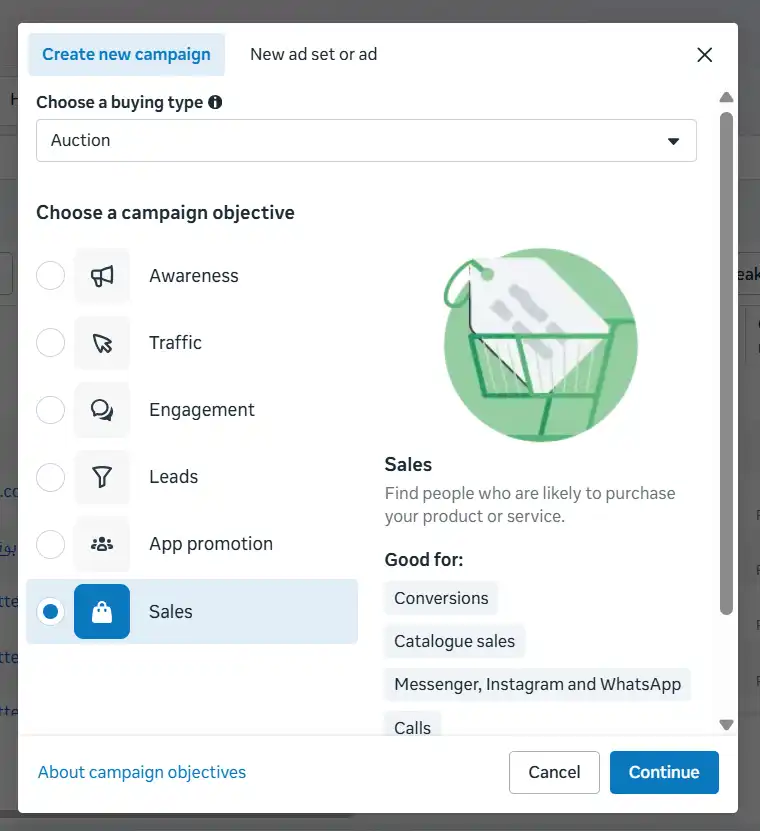
Meta's campaign objective tells the platform what kind of outcome you want to achieve. The conversion location and performance goal help define where the action should happen and which results the system should prioritize.
If your campaign is optimized for an action that does not match your business goal, it may generate activity without producing meaningful commercial results.
Match the objective to your actual goal
Consider these examples:
Online sales: Use a sales campaign with a properly configured purchase event when your goal is completed website orders.
Lead generation: Optimize for relevant leads, and measure their quality and progression through your sales process.
WhatsApp inquiries: Use a messaging setup when conversations are a deliberate part of your sales process, then track how many conversations become customers.
Brand awareness: Use awareness-focused optimization when reach and exposure are the primary goals, rather than expecting it to behave like a purchase campaign.
Selecting a sales objective does not guarantee that Meta is optimizing toward purchases. The conversion location, performance goal, and selected event must align with the desired outcome.
Website versus WhatsApp campaigns
For e-commerce businesses, a website campaign can be appropriate when the store is reliable, checkout works smoothly, and purchase tracking is accurate.
A WhatsApp campaign may be more suitable when customers need product information, delivery details, or assistance before placing an order.
However, messages can also generate low-intent inquiries. If customers ask for the price and disappear, review whether the ad clearly displays the price and whether the product offer matches the audience's expectations.
Do not choose WhatsApp solely because website ads failed, or choose website campaigns solely because they appear more scalable. Identify where your actual customers complete purchases.
Do not optimize for cheap results alone
A campaign that generates inexpensive messages may still lose money if those conversations never produce orders.
Similarly, inexpensive clicks are not valuable if visitors leave without buying.
The goal is to optimize toward the closest reliably measurable action that contributes to business results, while continuing to monitor the final sale.
Key takeaway: Align your objective, conversion location, and optimization event with the business outcome you want. Measure the full journey, not just the first interaction.
7. Manage Your Budget Carefully During the Recovery Period
When Meta Ads performance declines, increasing the budget is rarely the first step to take. More spending may increase the number of impressions or clicks, but it will not automatically fix weak creative, poor conversion tracking, an uncompetitive offer, or a broken checkout process.
A disciplined budget strategy helps you diagnose the issue without risking more money than necessary.
Start with a budget you can afford to test
Set a daily budget based on your business economics and the amount you can afford to spend while collecting meaningful data.
For example, a business with a Rs. 1,000 daily budget would spend Rs. 7,000 over seven days if the budget were spent in full each day. That expenditure should be evaluated against the value of the results, not simply the number of messages or clicks generated.
Before launching a test, calculate your break-even acquisition cost.
A simplified formula is:

Variable costs may include product costs, packaging, delivery subsidies, payment or cash-on-delivery fees, expected returns, and other costs that change with each order.
For a more useful profit target, subtract your desired profit per order from the break-even amount.
When should you increase the budget?
Consider increasing the budget only when:
Tracking is working correctly.
The campaign is producing genuine sales or qualified leads.
Acquisition costs are within your acceptable range.
The offer and sales process are functioning well.
You can afford the additional expenditure.
Increase gradually and evaluate the effect rather than making a large jump without evidence.
When should you reduce spending?
Reduce or pause spending when the campaign is consistently generating losses, the tracking setup is unreliable, or you have spent the amount allocated for the test without obtaining enough evidence to justify continuing.
A small business does not need to keep funding an underperforming campaign simply to wait for the algorithm to recover.
Avoid spreading a small budget too thin
If your budget is limited, testing several audiences, objectives, and creative variations simultaneously can make it difficult to determine which approach works.
A more practical starting point is one focused campaign, a manageable audience, and a small number of distinct creatives. Expand your testing when you have enough budget and evidence to make the comparison meaningful.
Key takeaway: Budget decisions should follow performance evidence. Do not spend more just because results declined after an update.
8. Follow a Practical 7-Day Meta Ads Recovery Plan
A structured recovery plan helps you move from guesswork to measurable action. The following schedule is a framework, not a guarantee that performance will recover within seven days. The appropriate duration depends on spend, conversion volume, sales cycle, and the size of the performance change.
What should you record during the test?
Maintain a simple report with the following fields:
Use the same definitions and date ranges when comparing results. For cash-on-delivery businesses, for example, a confirmed order and a delivered order should be tracked separately.
If your results remain weak after seven days, do not automatically repeat the same setup for another week. Revisit the evidence and determine what remains unresolved.
Key takeaway: A recovery plan should produce better information and more informed decisions, even if the campaign does not recover immediately.
9. Avoid Common Mistakes When Recovering Meta Ads
A performance decline can create pressure to act quickly. However, several common responses make it harder to identify the actual cause and can increase advertising costs.
Mistake 1: Assuming the update is definitely responsible
A date-based correlation is not proof of causation. Performance can change because of competitors, seasonal demand, customer behavior, website problems, auction conditions, or changes made to the campaign itself.
Better approach: Compare metrics and settings before and after the suspected change. Look for evidence that points to a specific cause.
Mistake 2: Rebuilding every campaign immediately
Creating a new campaign may sometimes be appropriate, but it is not a universal solution. If the real problem is a broken checkout or an unclear offer, a new campaign may reproduce the same poor results.
Better approach: Fix measurement and conversion problems before restructuring campaigns.
Mistake 3: Increasing the budget to force a recovery
More budget can buy more delivery, but it cannot guarantee more purchases or qualified leads.
Better approach: Establish your acceptable acquisition cost and demonstrate that the campaign can produce commercially useful results before scaling.
Mistake 4: Changing the audience too frequently
Switching between broad targeting, numerous interests, and small geographic groups without a clear testing method makes it difficult to understand which audience is responsible for results.
Better approach: Test a manageable number of audience strategies, change one major variable at a time, and evaluate the quality of resulting customers.
Mistake 5: Optimizing for cheap clicks or messages
Low-cost traffic may not translate into revenue. A campaign generating inexpensive WhatsApp conversations can still be unprofitable if users do not place orders.
Better approach: Track the full funnel, from the first interaction to the final sale or delivered order.
Mistake 6: Testing too many creatives with a limited budget
Testing many ads at once can divide delivery and make comparisons inconclusive, especially when the campaign generates few conversions.
Better approach: Start with a small number of meaningfully different creatives and prioritize a clear business objective.
Mistake 7: Ignoring the landing page and sales process
Ad performance depends on more than the ad itself. Slow pages, unexpected shipping costs, unclear product information, difficult checkout steps, and slow responses can all reduce conversions.
Better approach: Review the entire customer journey, including mobile usability, pricing transparency, payment options, delivery expectations, and follow-up.
Mistake 8: Treating reported conversions as the only measure of success
Attribution systems help marketers understand campaign performance, but they do not replace business records. Differences in attribution can make platform reporting and actual sales totals diverge.
Better approach: Reconcile advertising reports with reliable sales, CRM, or order data and use consistent measurement definitions.
Key takeaway: The strongest recovery strategy is systematic: diagnose the problem, fix what is broken, test deliberately, and make budget decisions based on actual business outcomes.
Frequently Asked Questions About Meta Ads Performance Recovery
1. Why did my Meta Ads performance suddenly drop after October 9, 2026?
There is no single explanation that applies to every advertiser. A decline could be related to campaign changes, audience fatigue, auction conditions, tracking issues, website conversion problems, or changes in platform delivery.
Although Meta announced advertising technology and creative-related developments in October 2026, that does not establish that a specific October 9 update caused your results to decline.
Compare your account's actual performance data before and after the date to identify the most likely explanation.
2. Should I pause my Meta Ads after a performance drop?
Not necessarily. If tracking works correctly and your campaign remains within an acceptable cost range, a short-term fluctuation may not justify pausing it.
However, consider pausing or reducing spend when losses exceed your limit, tracking is broken, the offer is no longer valid, or the campaign consistently fails to produce useful results.
3. Should I increase my daily budget to recover Meta Ads performance?
No, not as your first response. Increasing the budget can increase delivery without fixing the underlying problem.
First, review tracking, creative quality, audience relevance, conversion rates, and the cost of acquiring a customer. Increase spending only when your results and profit margins support it.
4. Is broad targeting better than detailed targeting after a Meta update?
Neither option is always better. Broad targeting can provide more opportunities for automated delivery, while detailed targeting may be useful when specific audience restrictions have a sound business justification.
Test the approaches appropriate for your campaign and compare qualified leads, purchases, and acquisition costs rather than judging by reach alone.
5. How long does it take to recover Meta Ads performance?
There is no guaranteed recovery period. Some problems, such as incorrect event tracking or a broken checkout, can be corrected once identified. Others require additional testing and enough conversion data to evaluate improvements.
A seven-day plan can help organize the investigation, but it does not guarantee that results will return to their previous level within that period.
6. Should I create a new campaign or optimize the existing one?
Start by identifying the source of the problem. If your existing campaign has useful historical data and its setup remains appropriate, targeted improvements may be preferable to rebuilding it.
A new campaign may make sense when the objective, offer, conversion setup, or overall strategy needs a meaningful change. It should not be created solely because performance declined on a particular date.
7. Why am I getting clicks or WhatsApp messages but no sales?
This often indicates a gap between initial interest and the purchase decision. Possible causes include an unclear offer, price objections, insufficient product information, low-intent traffic, slow follow-up, delivery concerns, or a difficult checkout process.
Display the price clearly, explain the offer accurately, make ordering straightforward, and track how many inquiries become confirmed and completed purchases.
8. Can new creatives improve Meta Ads performance?
Yes, new creatives can help when the existing ads have become less effective or fail to communicate the offer clearly. However, creative changes will not automatically resolve tracking, pricing, targeting, or checkout problems.
Test distinct concepts and evaluate the results against your actual campaign objective.
9. How do I know whether my Meta Ads have recovered?
Define recovery using business outcomes, not a single metric. Depending on your goal, evaluate cost per purchase, qualified-lead acquisition cost, delivered orders, revenue, profit contribution, and return on ad spend.
Compare results with a relevant baseline while accounting for spending, seasonality, conversion delays, and changes in measurement.
Conclusion: Recover Meta Ads Performance With Data, Not Guesswork
If your Meta Ads performance declined after October 9, 2026, the best response is not to assume that the platform update is responsible or to make several campaign changes simultaneously.
Start by comparing your results before and after the suspected change. Verify tracking, inspect the conversion funnel, review audience relevance, evaluate your creative, and confirm that your campaign objective matches the business outcome you want.
Then implement a controlled recovery plan, monitor actual sales or qualified leads, and make budget decisions according to your acquisition costs and profitability.
Remember that the goal is not simply to restore yesterday's advertising metrics. It is to build a more reliable and profitable advertising system.
Meta's advertising technology continues to evolve, so advertisers should monitor relevant platform announcements and check which changes actually apply to their accounts. Official announcements and documentation are more reliable than assuming every reported update affects every campaign.
With accurate tracking, clear offers, relevant creative, and disciplined testing, you can make better decisions about how to improve campaign performance, even when the cause of a decline is initially unclear.